PORTFOLIO

Our work

Websites, AI agents, research systems and practical tools for businesses.

Kotikus — AI operations system

Kotikus takes a task from the first message to a verified result. It restores project context, selects the right process and tools, enforces access boundaries, pauses actions that require approval and checks the actual state after execution.

System used in daily work

Kotikus / Hermes — AI operations system

The system accepts a message, voice note, file or scheduled signal. Kotikus identifies the goal and current project state, then routes the task to the appropriate specialist process.

Hermes provides the execution environment: contextual memory, specialist procedures, tools, browsers and scheduled jobs. Kotikus coordinates their work and combines the results into one controlled process.

The content process covers planning, Threads publishing, live replies, active-dialogue continuation, lead discovery and qualification, plus Instagram posts, carousels and Stories.

Each stage has defined rules for access, quality control, approval, result verification and recovery, so work ends with a verified result.

Scope
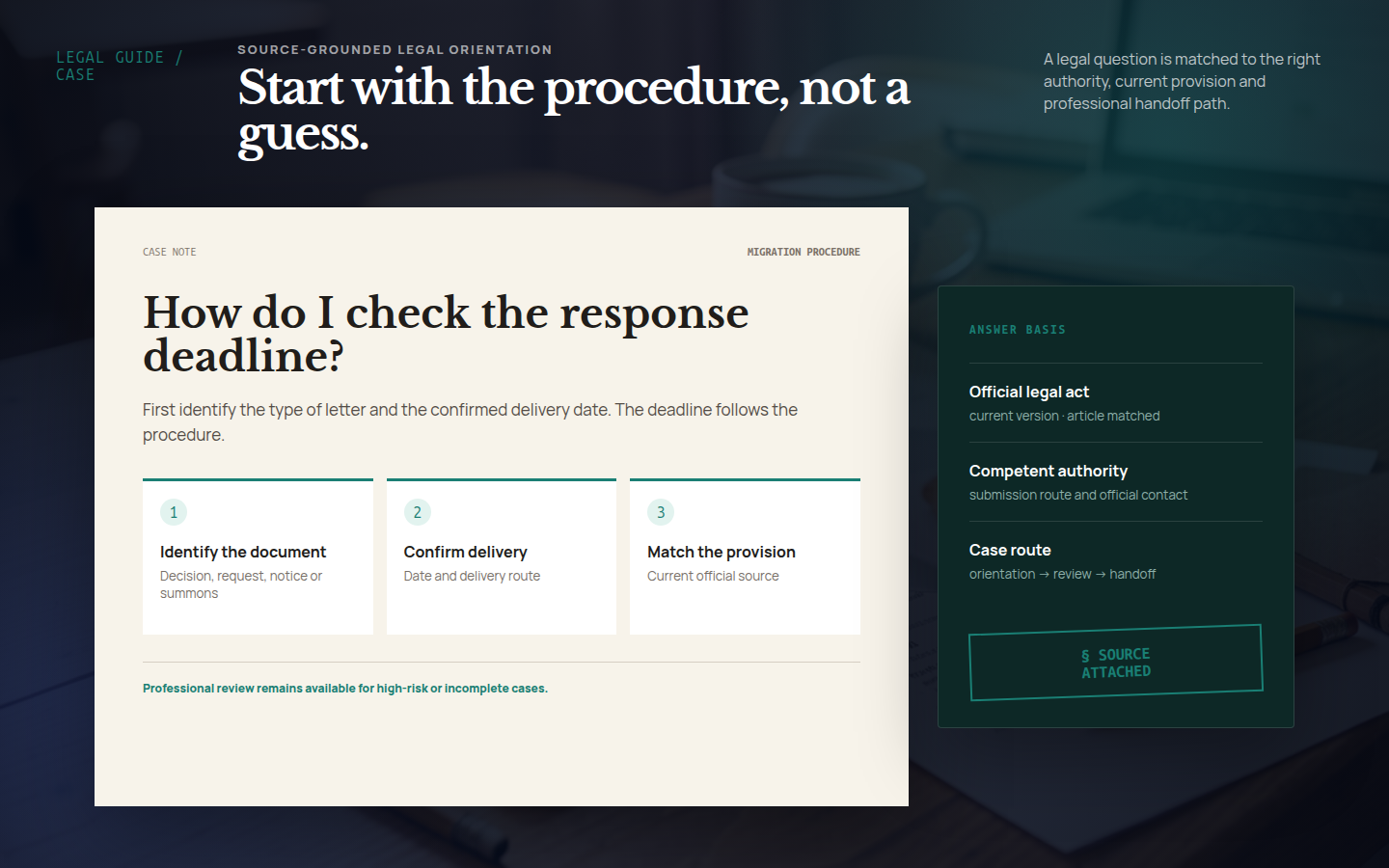
Research and decisions, content and publishing, websites and localization, business operations, legal orientation, quality control, backups and recovery.
Control
A current source of truth, limited access, approval for critical actions, exact result verification and a safe return to the previous state.
Use
Daily work across research, content, leads, websites, business analysis and controlled publishing.
Selected work

Different problems call for different solutions. Sometimes a business needs a customer-facing website with ordering. Sometimes it needs an internal tool for the team. And sometimes the best place to start is a prototype that lets us test how a future system should work before building the full product.

Live project

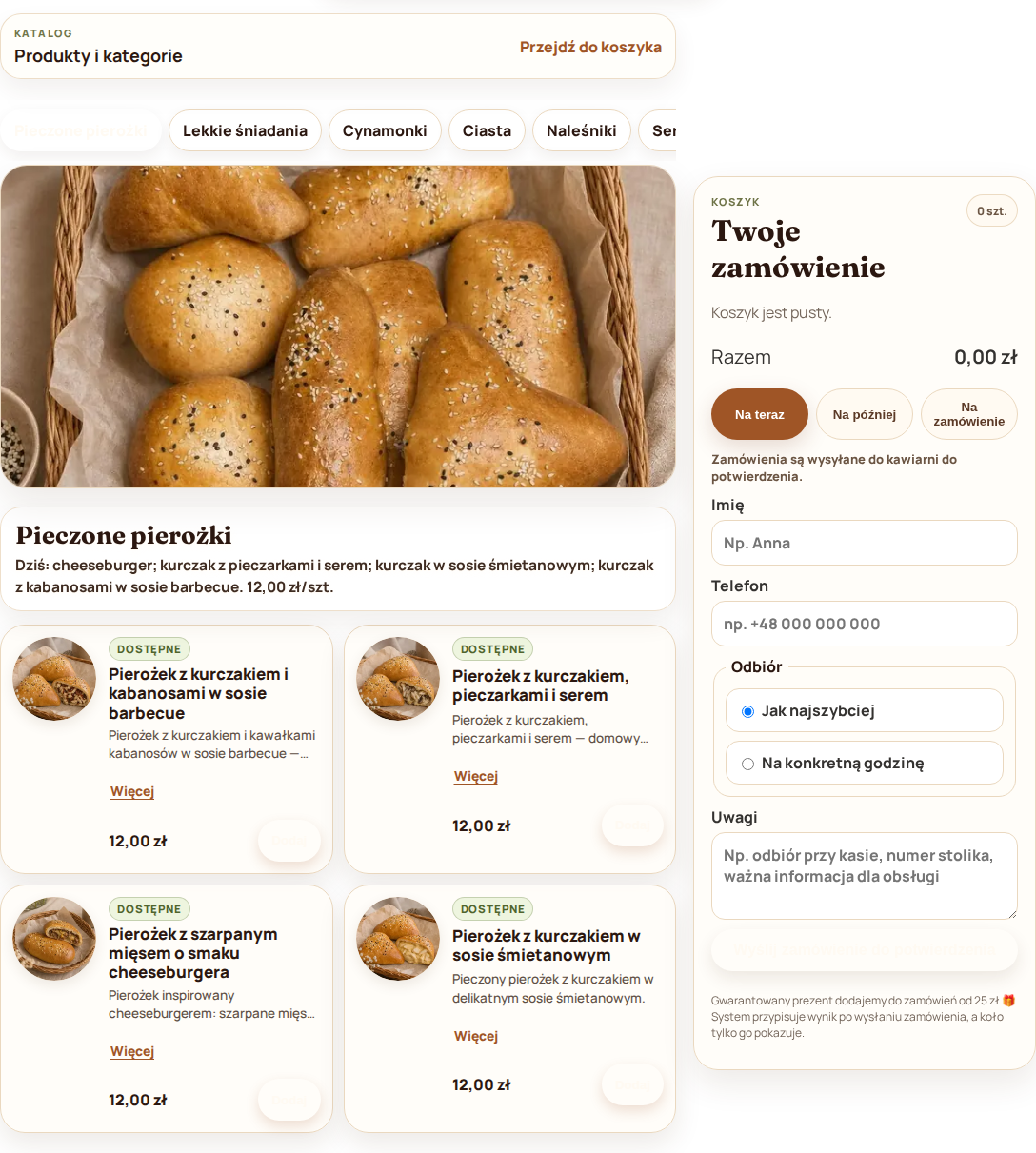
Café website with ordering and an AI agent

The café needed a website that could be updated quickly throughout the working day without constantly opening an admin panel.

We built a mobile-first website with a live menu, cart, pickup-time selection and order submission for confirmation.

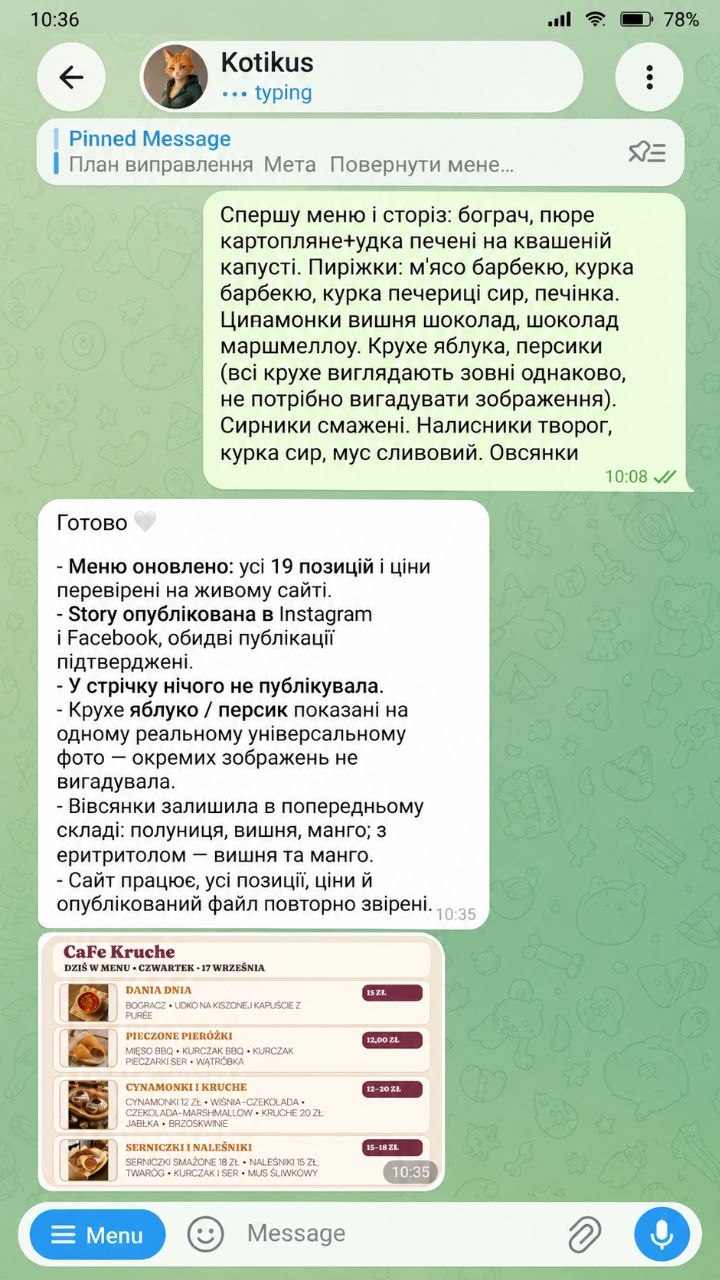
The website is connected to an AI agent that manages its content. The owner can add new items, change prices, descriptions or availability using a normal text message or a voice message. The agent applies the changes and updates the menu on the website automatically.

The same agent can also prepare and publish social media content based on the current menu.

What we built
Mobile menu, cart, ordering flow, pickup-time selection, item and availability management, loyalty programme, and an AI agent that can manage the website through text and voice commands.
Status
The system is live in a real café and is used for daily menu updates and customer orders.
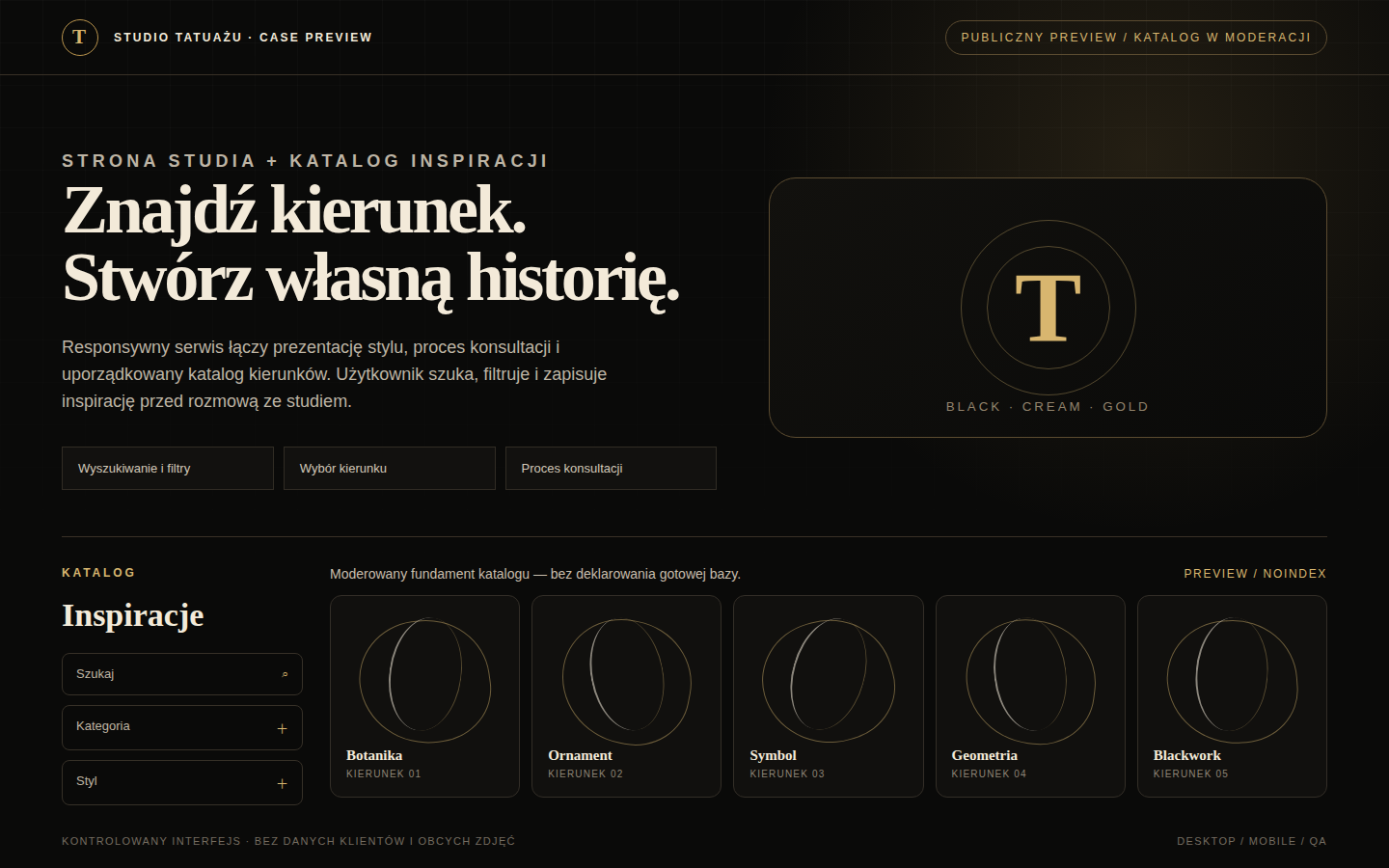
Tattoo studio website with an inspiration catalogue
Live project

Tattoo studio website with an inspiration catalogue

The goal was to present the studio clearly and help visitors explore different tattoo styles before speaking to an artist.

We built a responsive website with information about the studio, a clear booking journey and a searchable, filterable catalogue of styles and ideas.

Visitors can browse different directions, find styles that feel relevant to them and arrive at a consultation with a clearer idea of what they want.

What we built
Responsive website, catalogue structure, search and filters, style pages and a consultation-preparation flow.
Status
The website is live. The catalogue is still being expanded and moderated.
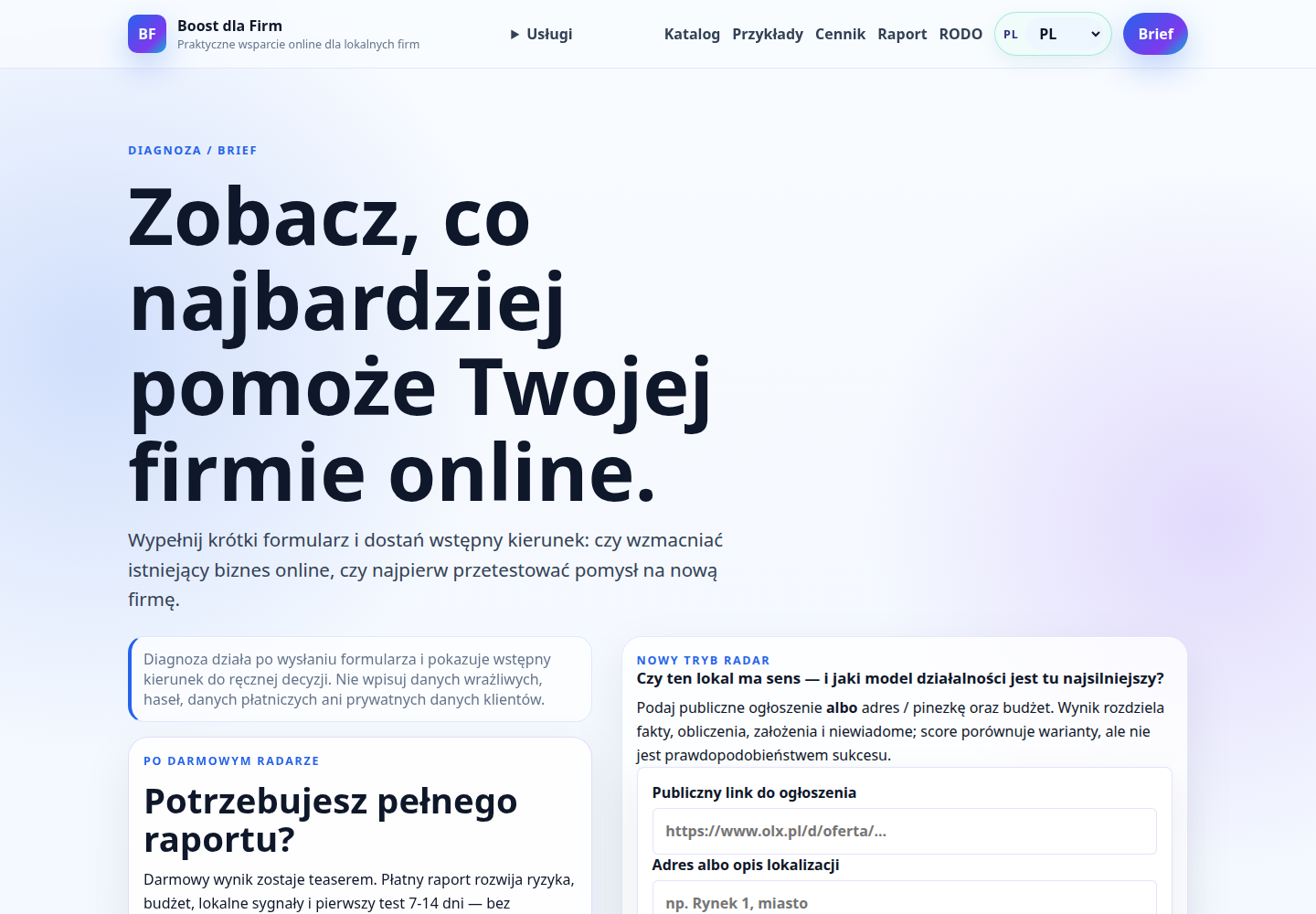
Boost Radar screen with a business analysis form
Our own tool

Boost Radar

Radar helps business owners decide where to start when there is a problem to solve or a new idea to explore, but the right solution is not obvious yet.

The user answers a set of questions about an existing business or a planned project and receives an overview of the main risks, a possible first test and a practical next step.

Radar has three paths: reviewing an existing business, testing a new idea, and separately assessing a specific premises or location.

What we built
Online brief, three analysis paths, budget and risk assessment, local context and a 7–14 day first-test scenario.
Status
Radar is live on the Boost dla Firm website and publicly available.

Growth systems

Systems that carry work through the full cycle: from discovery and qualification to publishing, human handoff and verified completion.

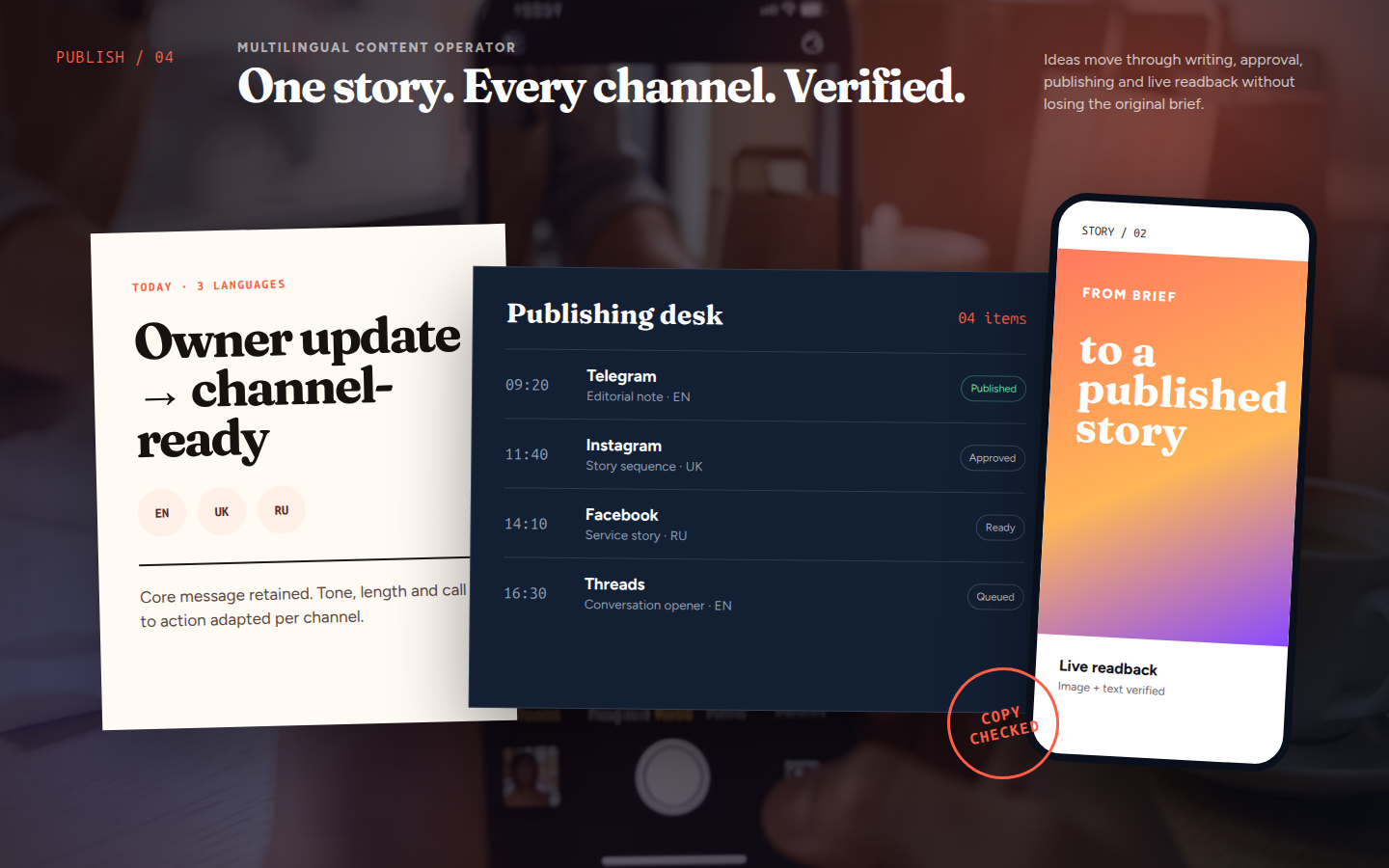
Multilingual content operator with a publishing calendar and channel verification
Working project

Multilingual Content & Publishing Operator

The system turns one source item into content adapted to each language, channel and format. The central idea stays intact while a post, Story, short reply and longer piece are prepared separately.

Every item moves through the calendar, completeness checks and an approval queue. After publishing, the operator reads the target channel and records confirmation, so completion means the material is actually live rather than merely submitted to a platform.

This workflow suits a business operating across several channels or languages that needs one editorial direction without manual copy-and-paste between platforms.

What we built
A multilingual editorial workflow, calendar, channel-specific formats, visuals with controlled local typography, approval queue, scheduling, duplicate protection and live publication verification.
Status
The operator runs in a maintained environment and supports preparation and publication control across several languages and channels.
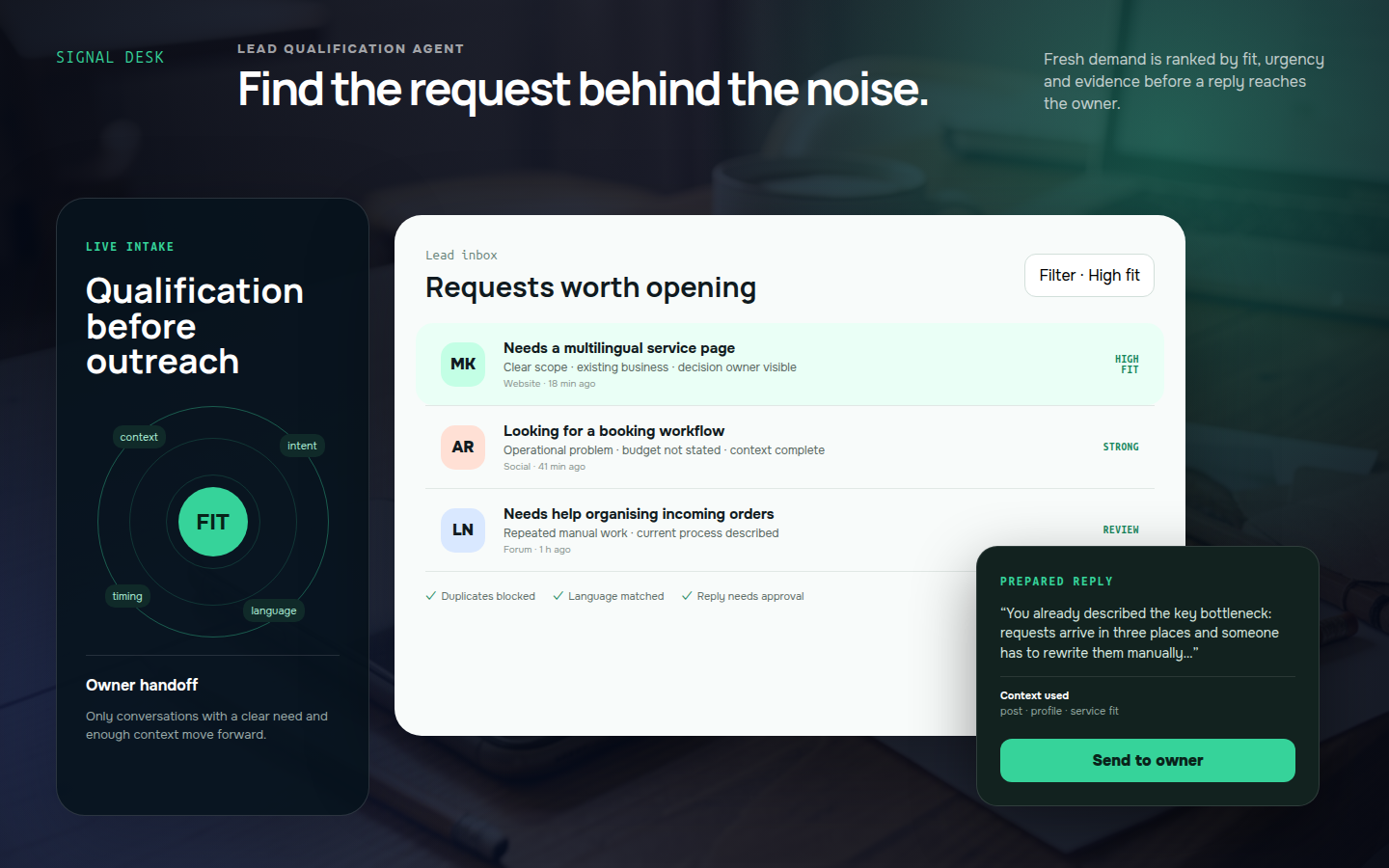
Lead inbox for an agent that qualifies prospective client requests
Working project

Lead Discovery & Qualification Agent

The agent finds fresh requests that show a real business need and separates them from advertising, job posts, passing mentions and topics without enough context.

Before a reply is prepared, it checks the post, profile, language, urgency and service fit. It also follows contact history so the same person is not approached twice and a conversation is not continued without a clear reason.

The owner receives an organised case: the client need, supporting context, a suggested response direction and the point at which a person should take over.

What we built
Source monitoring, noise filtering, intent and context qualification, duplicate control, language matching, personalised reply preparation, conversation tracking and warm-lead handoff.
Status
The agent operates as a controlled discovery and qualification workflow; outreach and follow-up remain subject to approval rules.
Mobile flow for a multilingual bot that guides a client to a structured brief
Working project

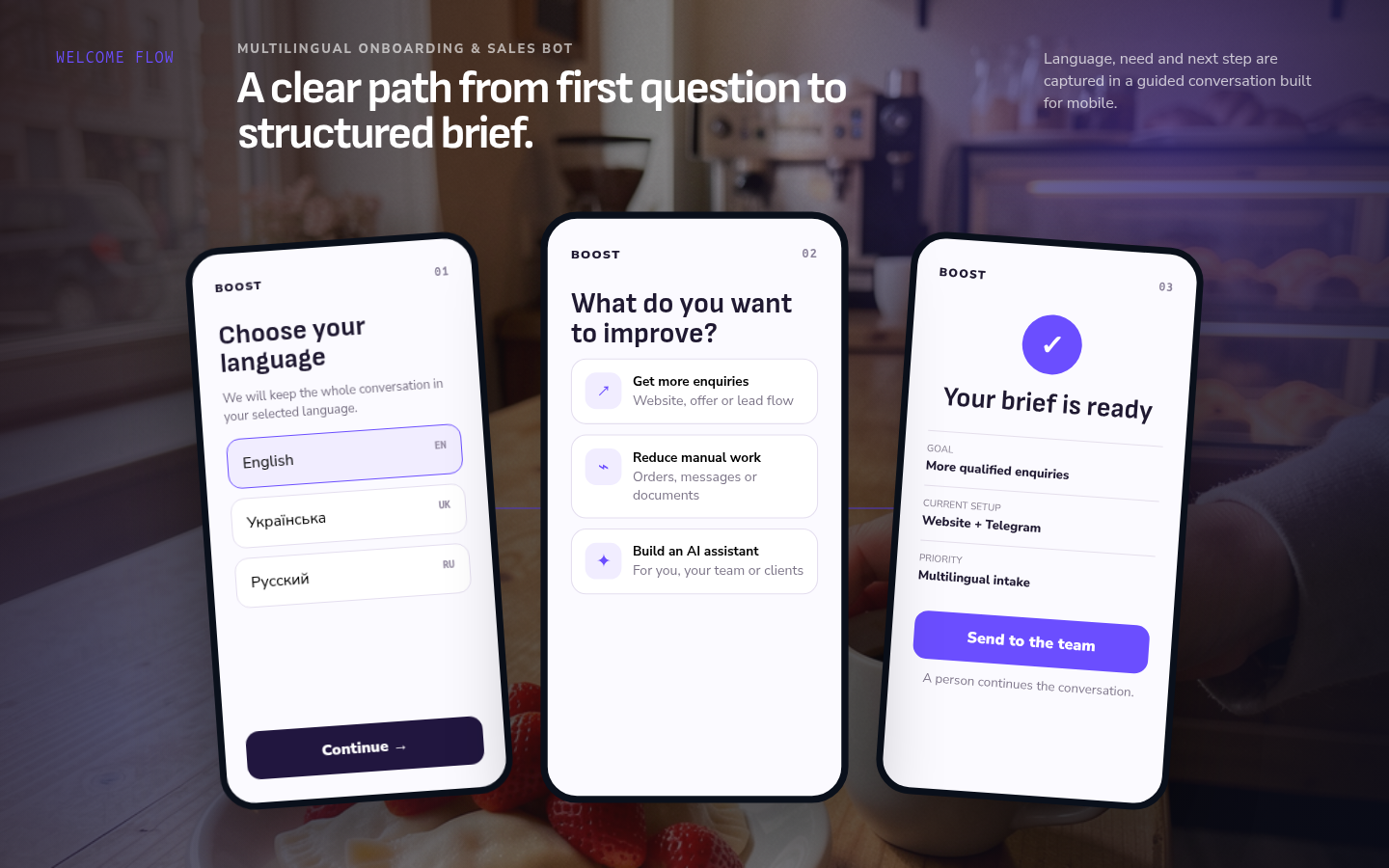
Multilingual Onboarding & Sales Bot

The bot guides a new visitor from the first question to a structured request. The visitor chooses a language, defines the problem, sees the relevant service and provides the information needed for the next conversation.

Instead of an open chat with no direction, the user follows a short mobile journey. The result is a clear brief containing the goal, current setup and priority.

The case then moves to a person with the selected language and full context intact, so the client does not have to answer the same questions again.

What we built
Language selection, branching needs journeys, relevant service presentation, answers to common questions, structured brief capture and controlled team handoff.
Status
The multilingual journey runs as a maintained onboarding bot connected to the offer and the human handoff process.
Website localization dashboard for language routes, SEO and release readiness
Working project

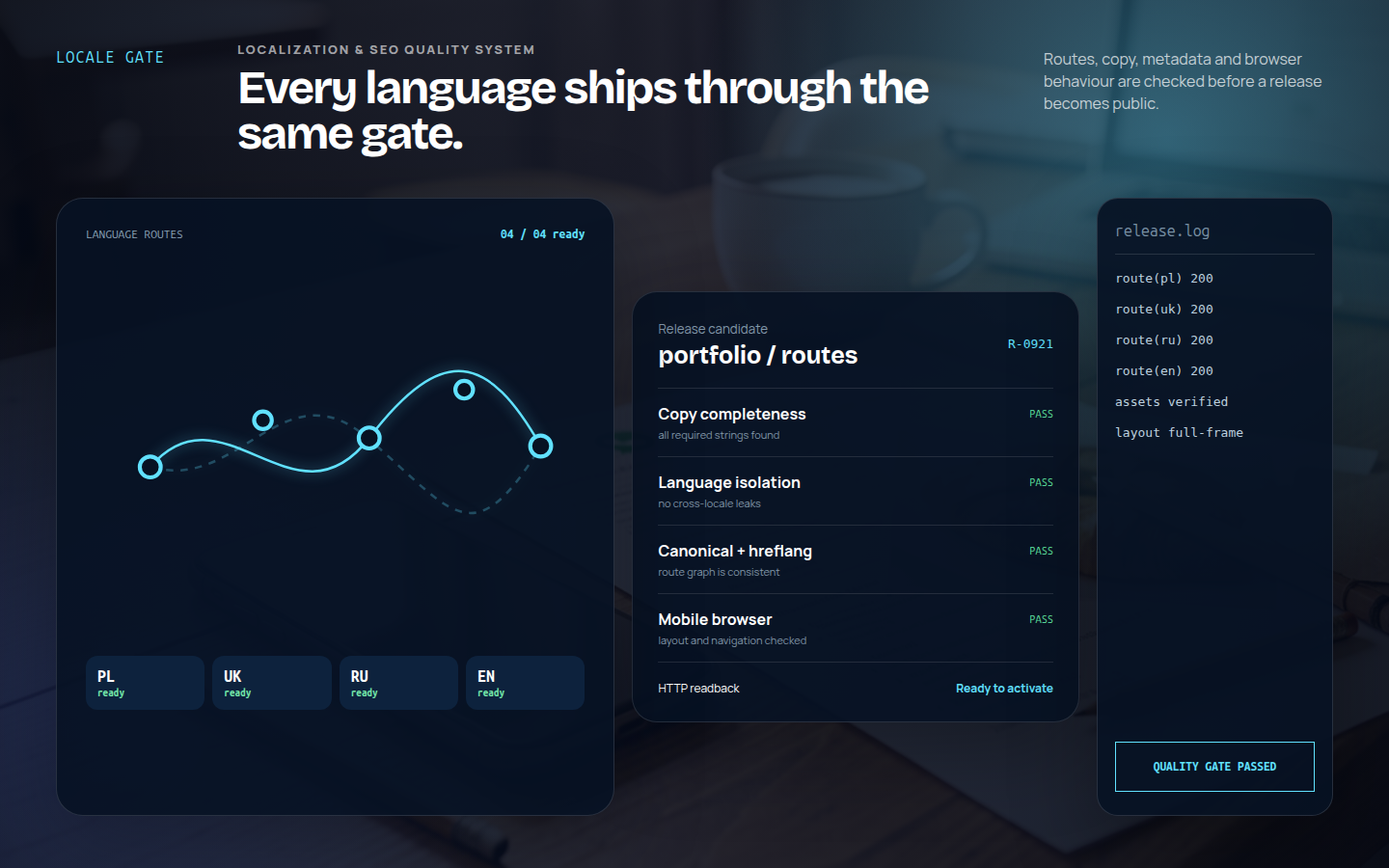
Website Localization & SEO Quality System

The system treats each language version as a complete part of the website rather than a collection of translated paragraphs. It checks routes, required copy, metadata, canonical and hreflang relationships.

Separate gates detect missing content, accidental language leakage, labels that no longer fit and differences between the reviewed bundle and what the public site actually returns.

Static, browser and mobile checks run before activation. Public routes and key assets are read back again after the release becomes live.

What we built
A localization pipeline, completeness and language-isolation checks, route validation, canonical and hreflang controls, layout tests, a release gate and production readback after activation.
Status
The system runs for selected production languages and expands as additional languages and pages are introduced.

Agents and research systems

Live projects that organise information, support decisions and take over everyday work where a generic chatbot would fall short.

Cryptocurrency market research laboratory interface
Live project

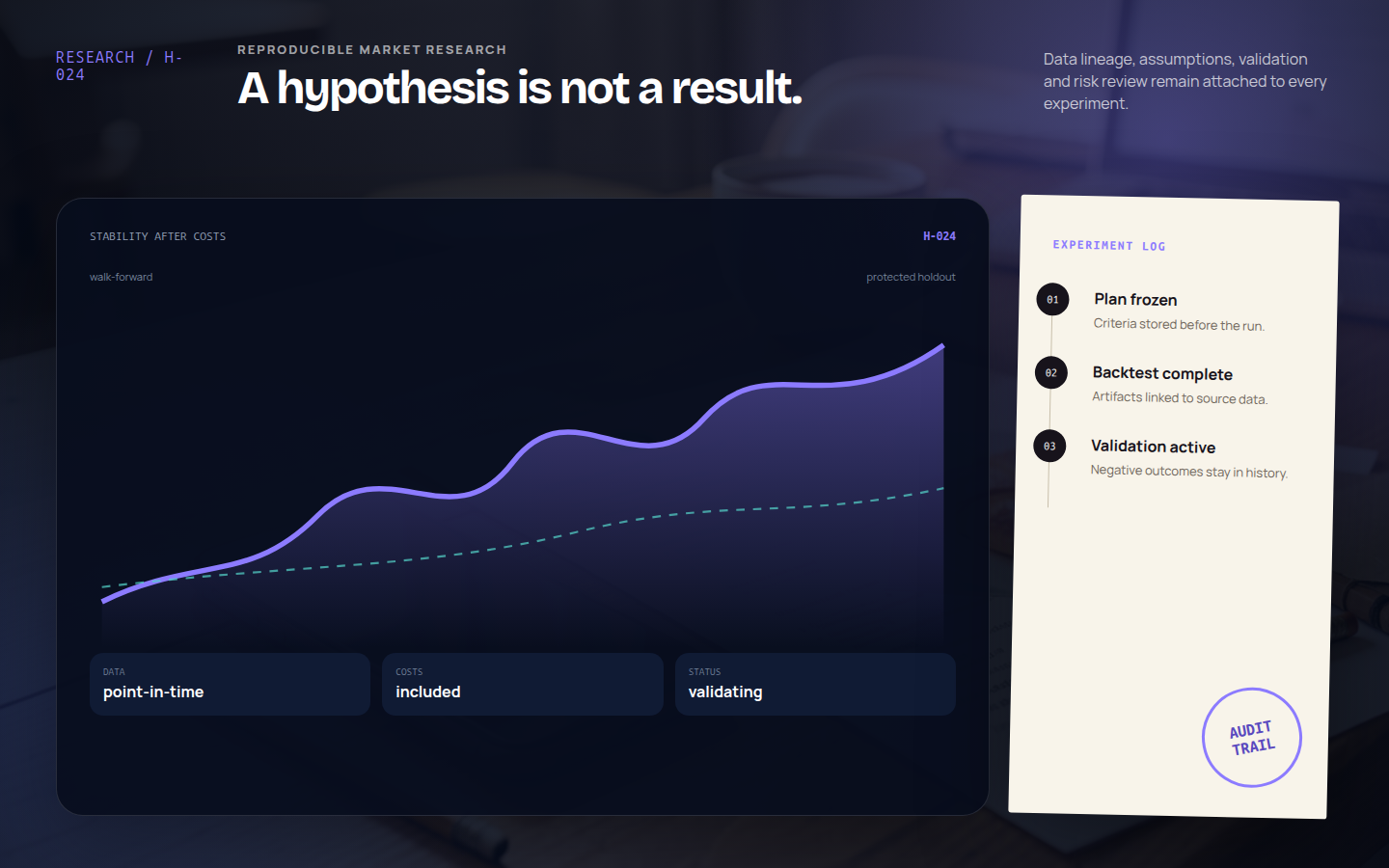
Cryptocurrency market research laboratory

The laboratory was built for a field where a convincing chart can too easily be mistaken for evidence. It gathers market data, checks its integrity and provenance, and records each hypothesis so the experiment can be reproduced.

Ideas move through historical tests, chronological validation, walk-forward analysis and separate risk gates. A negative result is not quietly discarded: it remains in the record with its parameters, inputs and reason for rejection.

The result is a complete research trail that helps distinguish a repeatable pattern from a fortunate accident.

What we built
A multi-module research workflow, data quality controls, a hypothesis and experiment registry, backtesting, walk-forward validation, risk gates, reports and independent result audits.
Status
The laboratory runs as a maintained research system for reproducible experiments, validation and risk control.
Anti-propaganda chatbot analysis interface
Live project

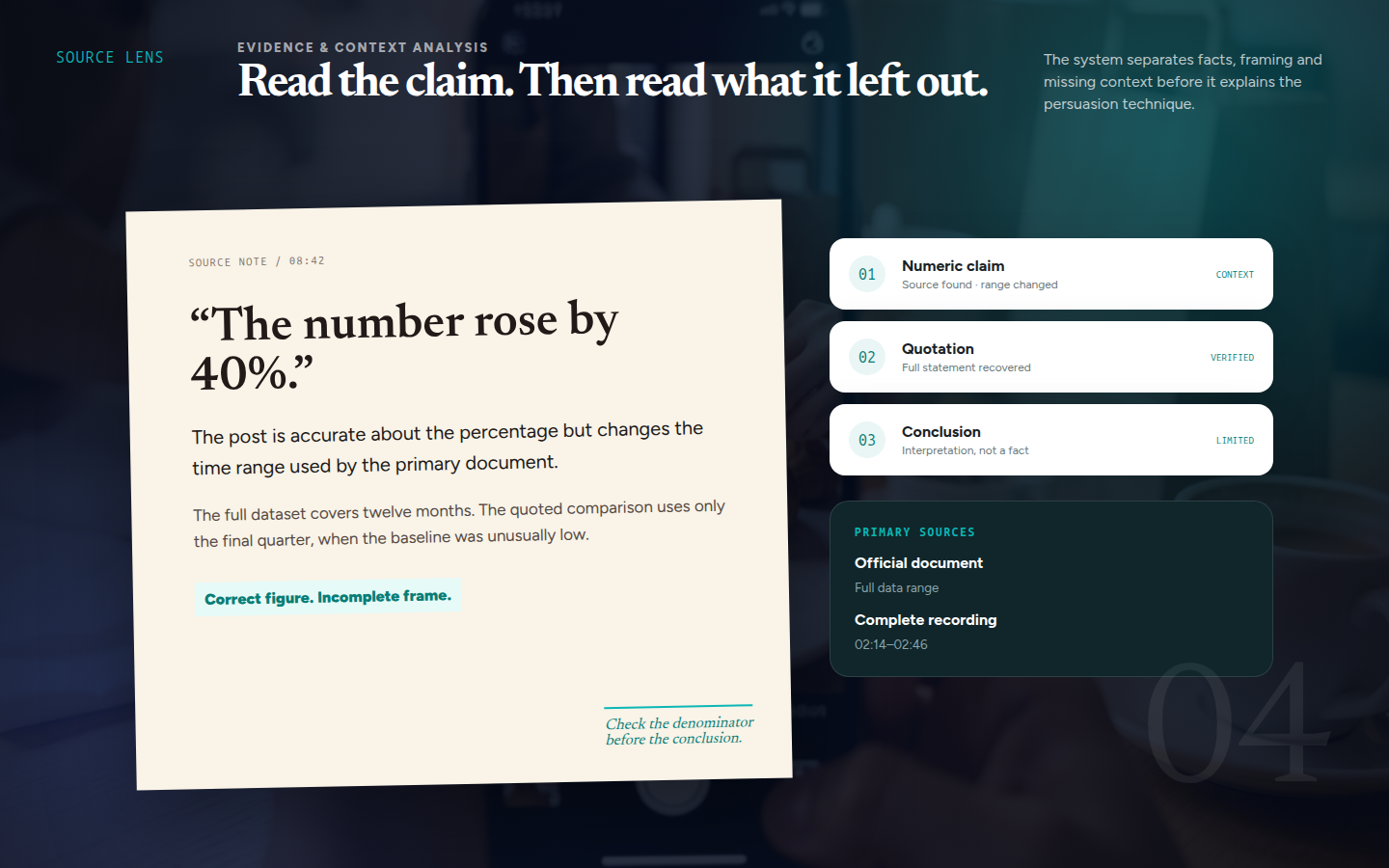
Anti-propaganda chatbot

The bot begins by separating the material into claims that can be checked, opinions, emotional devices and passages where certainty would be dishonest.

For every important claim it looks as close to the origin as possible: a document, a complete quotation, official data or material whose context is still intact. It shows what is known, what is missing and where confidence would be performative rather than earned.

The response takes the reader through the verification itself. It can point out a shifted context, a false choice, distorted numbers or pressure language without replacing analysis with a simple “true” or “false” label.

The system can work with a short post, a long article, a recording or a group of links. It preserves citations and keeps findings separate from interpretation, so the reader sees not only the conclusion but also the route that led there.

What we built
Claim and persuasion analysis, primary-source research, comparison of competing versions, missing-context checks, citations, and a report that preserves confidence levels and open questions.
Status
The bot is live and actively developed as a tool for verifying information and recognising manipulative techniques.
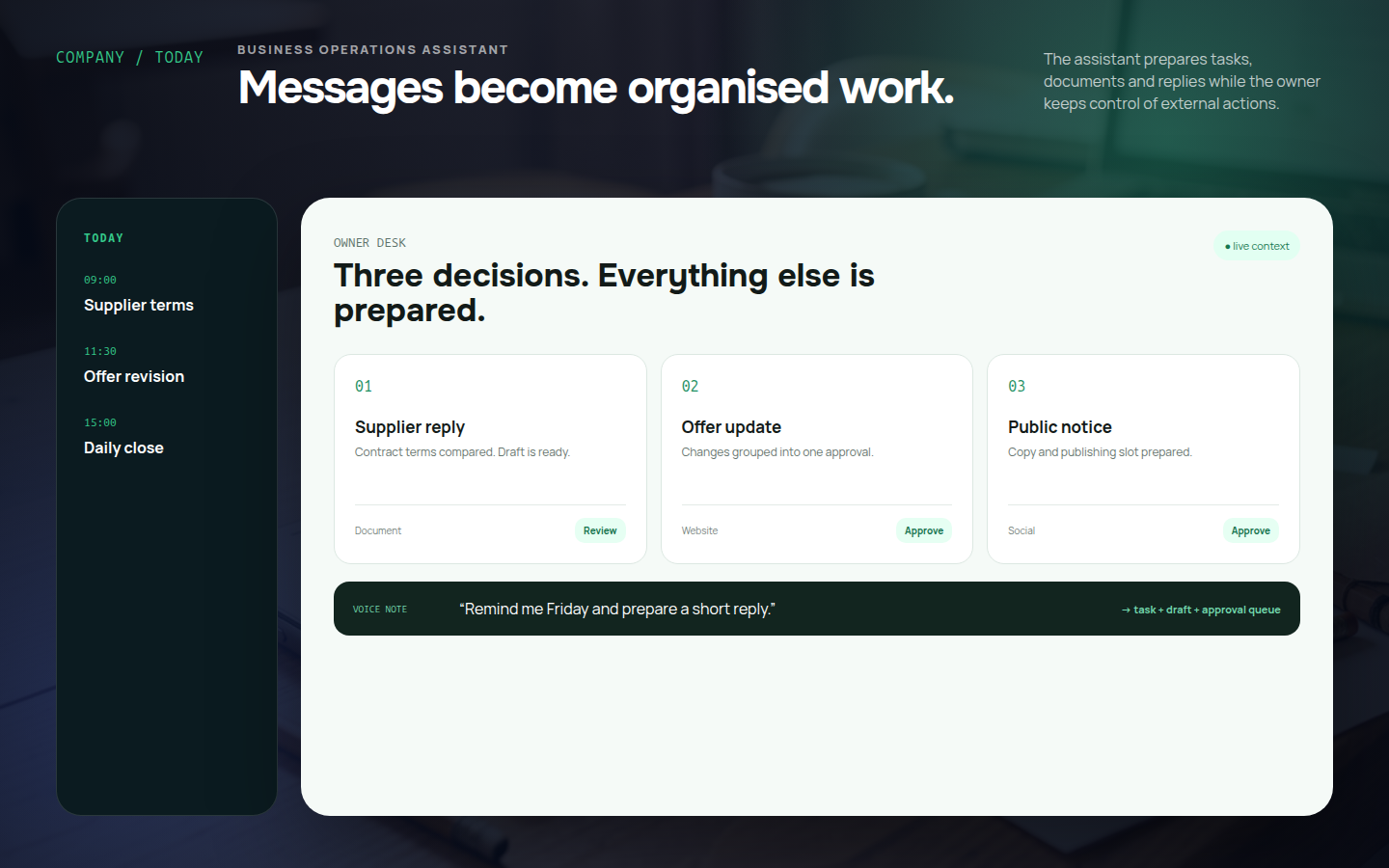
Company assistant interface for tasks and messages
Live project

Company assistant chatbot

The company assistant takes an ordinary message or voice note and turns it into organised work: a task, reply draft, document, reminder or an update to a chosen workflow.

It keeps track of company context, deadlines and questions that need the owner’s decision. It prepares the next step on its own, while external actions such as publishing, sending a message or changing data remain behind an approval gate.

In practice, it removes the small administrative work that fragments a day: returning to unfinished conversations, rewriting agreements and working out what was supposed to happen next.

What we built
Text and voice intake, conversion of messages into tasks, reply and document drafts, reminders, access to a company knowledge base, and an approval queue for owner-controlled actions.
Status
The assistant operates in the company’s daily environment and is maintained alongside its working processes.
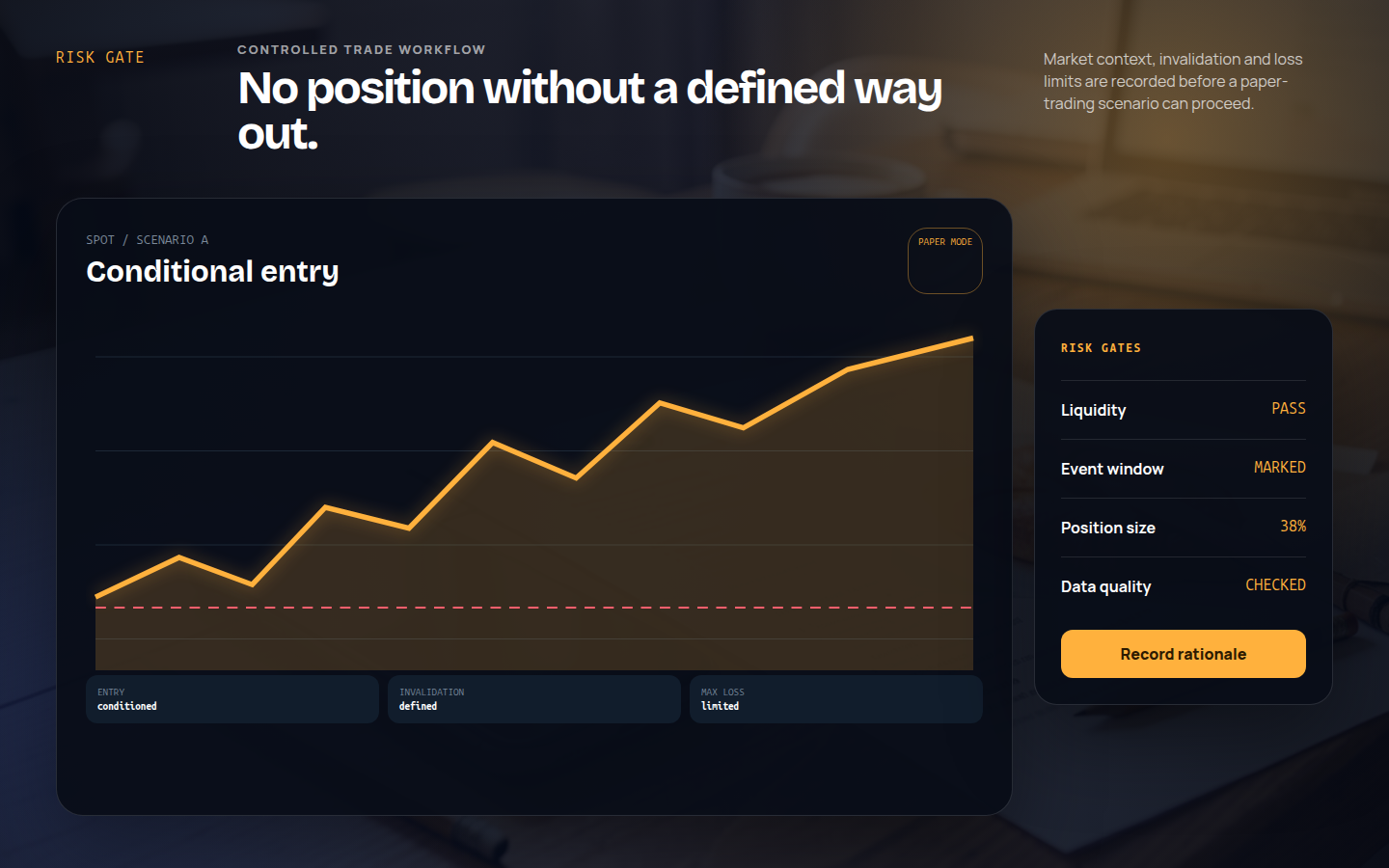
Crypto trading agent interface with risk limits
Live project

Crypto trading agent

The agent watches selected markets and prepares a decision only when it has the required data on liquidity, volatility, events and the current risk limit. Every idea includes a premise, an invalidation condition and a maximum acceptable loss.

The system compares scenarios, keeps a decision journal and stops when any safety condition is not met. Trading is therefore not reduced to a detached “buy” or “sell” signal.

The agent runs in a controlled mode, and its rules, models and connections are covered by ongoing support.

What we built
Market monitoring, liquidity and volatility analysis, trade scenarios, position and drawdown limits, paper trading, an append-only rationale journal, and gates that stop the system when data or risk conditions fail.
Status
The agent runs in a controlled mode, with its rules, models, risk limits and connections under ongoing maintenance.
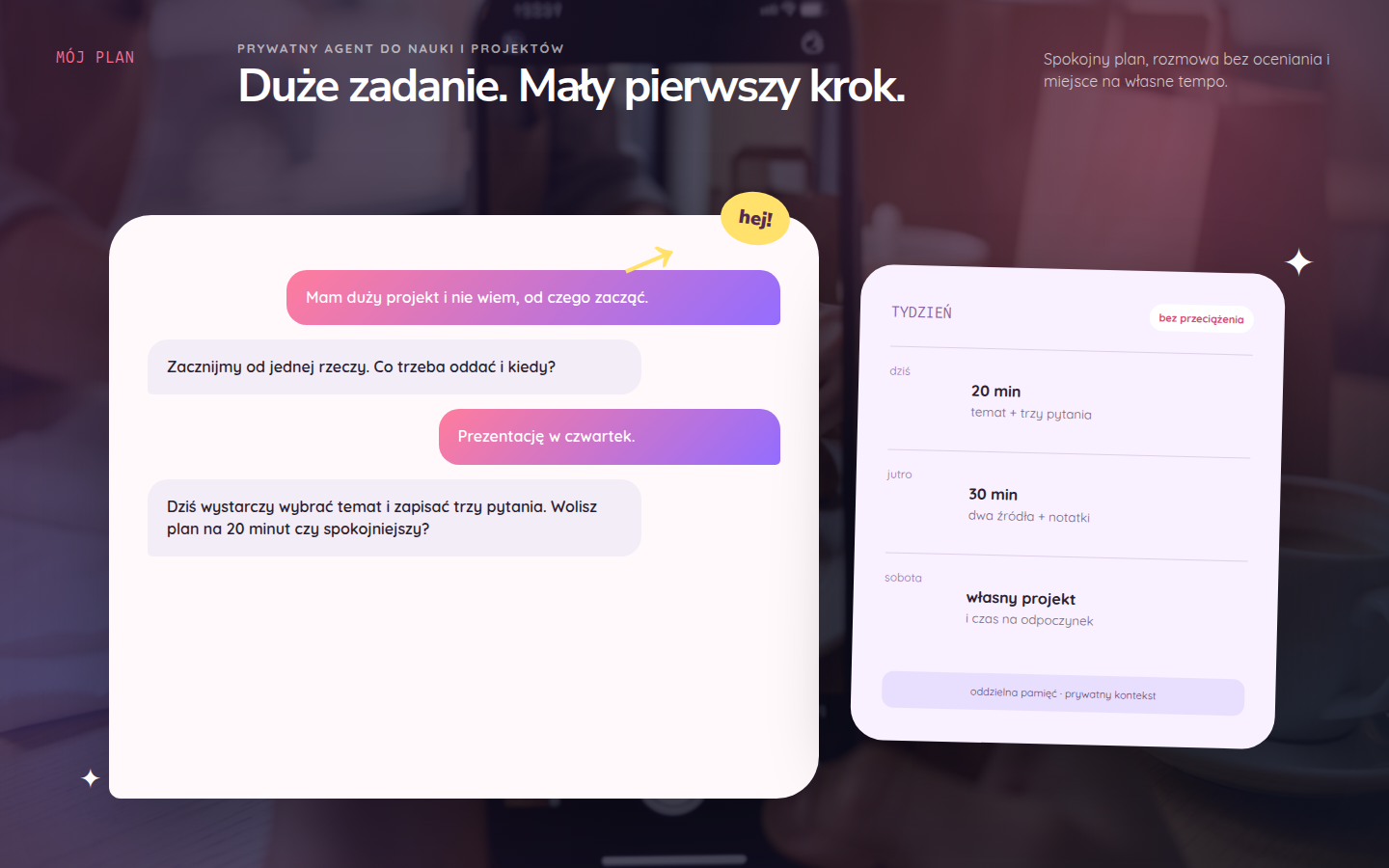
Personal study and planning agent interface
Live project

Personal agent for a teenager

This private agent is both a conversation partner and a calm study companion. It helps turn a large assignment into manageable steps, plan a week, return to an abandoned project or prepare for a test.

It speaks naturally, asks questions, suggests a method, explains difficult material another way and leaves room in the plan for rest and personal interests.

Memory and access are isolated from adult systems, with privacy boundaries built into the agent’s architecture.

What we built
A private chat, study support, weekly and project planning, gentle reminders, multilingual conversation, controlled memory and age-appropriate privacy boundaries.
Status
The agent runs in an individual maintained environment. Its style and boundaries can be adapted to the young person’s age, needs and family rules.
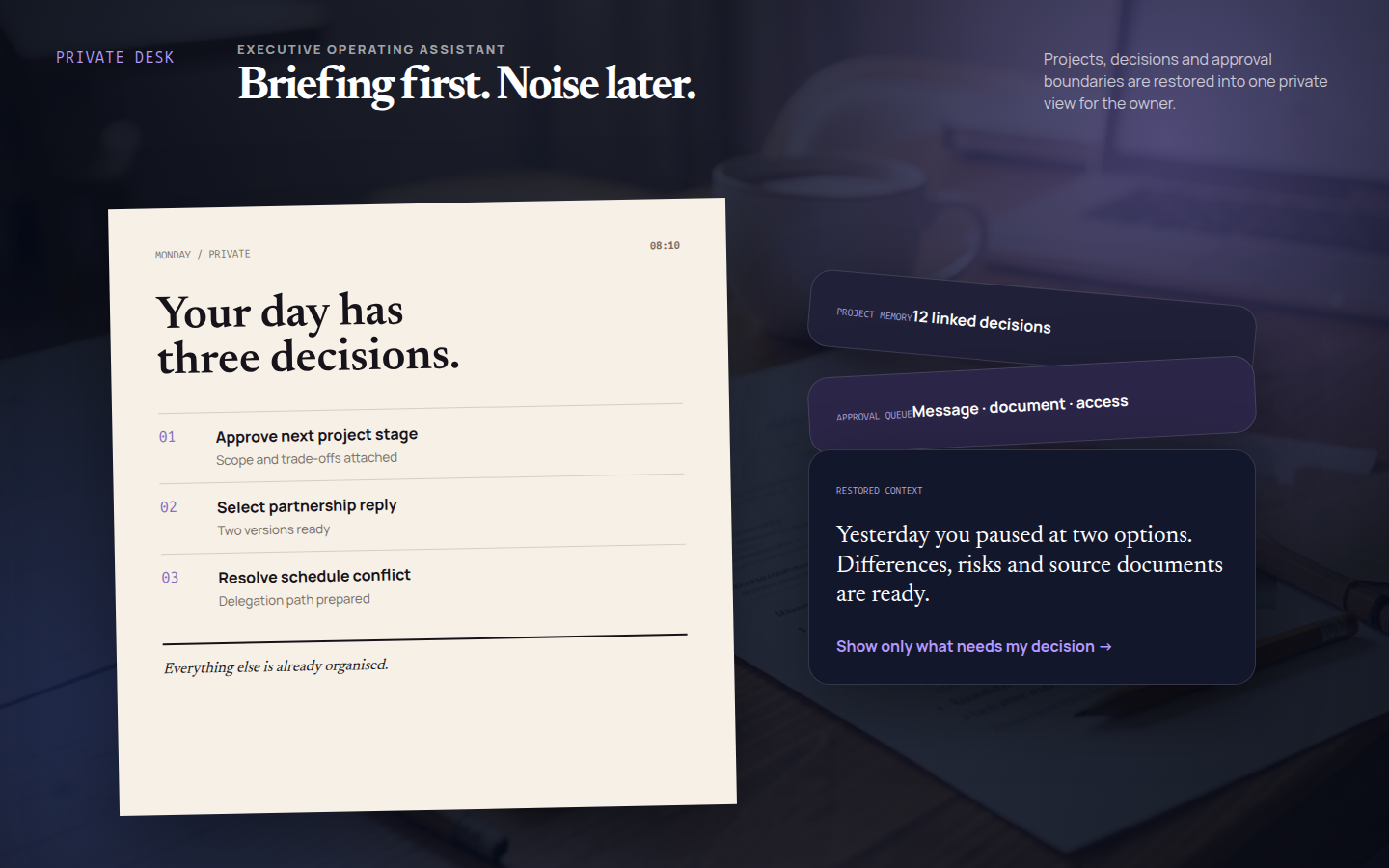
Private executive assistant interface
Live project

Private executive assistant agent

The private agent brings together the matters that usually scatter across chat, notes and the executive’s memory. It prepares a concise view of the day each morning, then turns agreements into tasks, reply drafts and decisions awaiting approval.

It remembers project context, constraints and earlier decisions without exceeding its authority. Sending a message, publishing, changing access or making a financial move stays under the owner’s control.

Its value is clearest not in a single answer but in continuity: the agent can return to an interrupted thread and show what genuinely needs a decision today.

What we built
A daily briefing, priority management, project memory, message and document drafts, deadline control, delegation to specialised agents and an owner decision queue.
Status
The agent runs as a private maintained operating system for an executive. Its data and permissions remain isolated from public projects.

Bots and agents for games

Two system examples that combine conversation, game-state analysis and a clear next step for the player or development team.

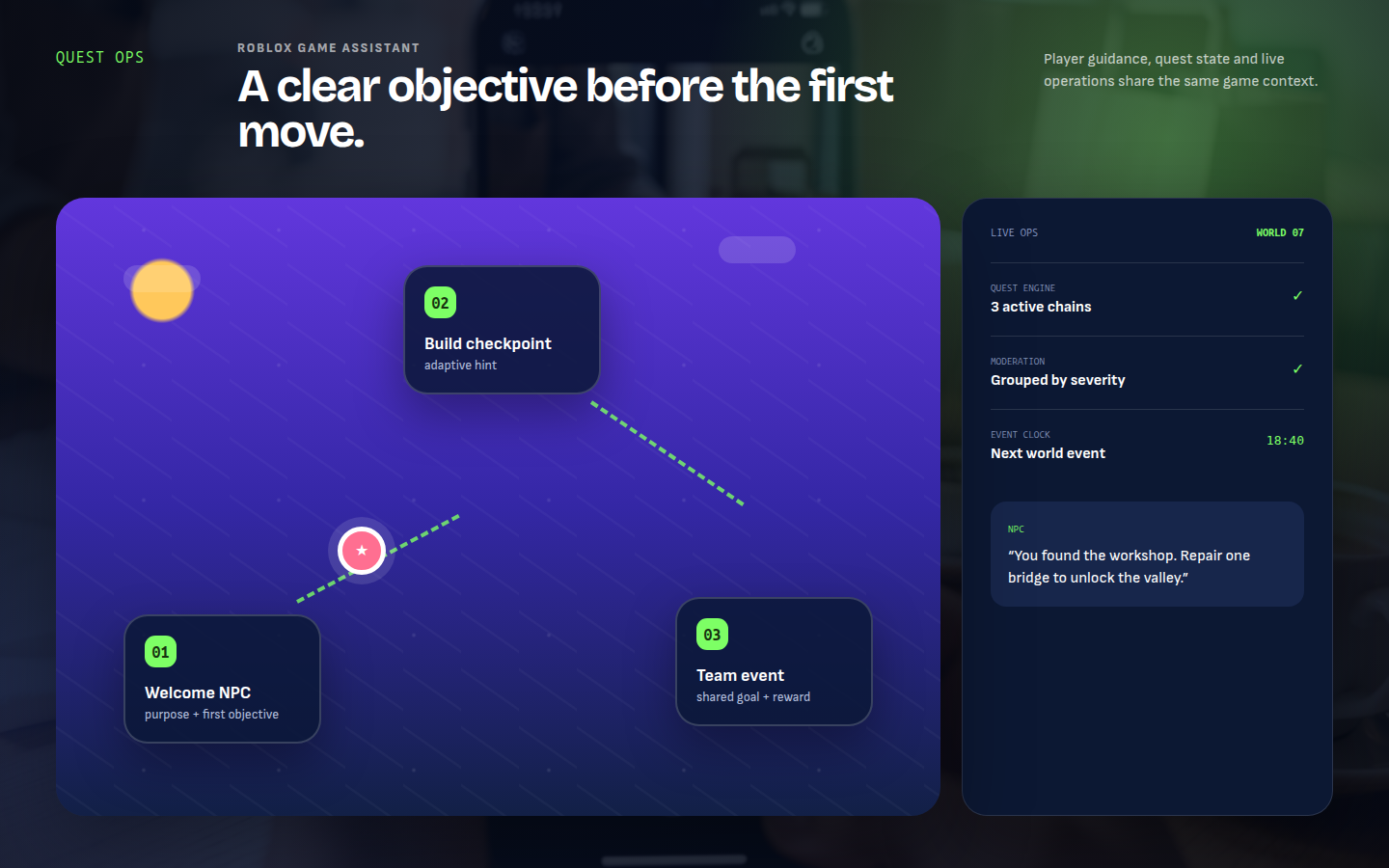
English Roblox game assistant interface with quests, NPC operations and moderation
System example

Roblox game assistant

The assistant guides a player through the first steps, suggests the next objective and responds to the current quest state. It can appear as an NPC, a world guide or an interaction point during live events.

For the game team, it brings together quests, event scheduling, moderation reports and core economy signals. Player conversation and live-world operations share the same context.

Scope
Context-aware NPC dialogue, quests and checkpoints, adaptive hints, event operations, a moderation queue, reward-flow monitoring and an operations dashboard.
Application
A direction for games built in Roblox Studio and systems using Roblox Open Cloud.
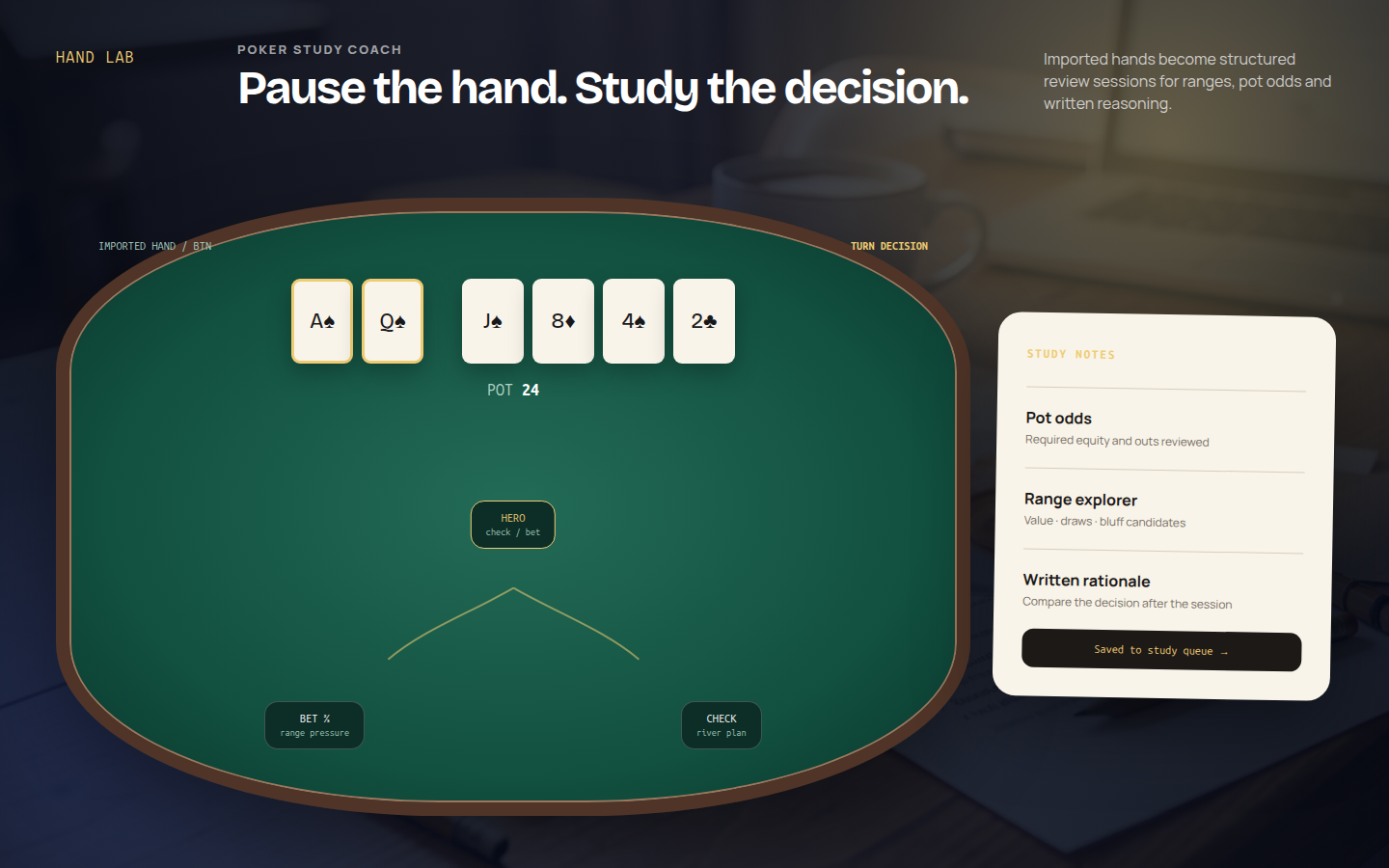
English poker study bot interface for reviewing hand histories
System example

Poker study bot

The bot turns a hand history into a structured study session. It reconstructs positions, stack sizes, betting action and the board, then walks the player through each decision street by street.

Players can compare lines, work with pot odds and ranges, record their own rationale and build a queue of topics for the next study session.

Scope
Hand-history import, pot-odds and range analysis, line comparison, training scenarios, a decision journal, difficult-spot review and a study plan.
Application
A tool for reviewing saved hands and training away from the table.

System prototypes

A prototype makes it possible to test the future interface and core workflows before committing to full development.

Below are three examples of these systems.

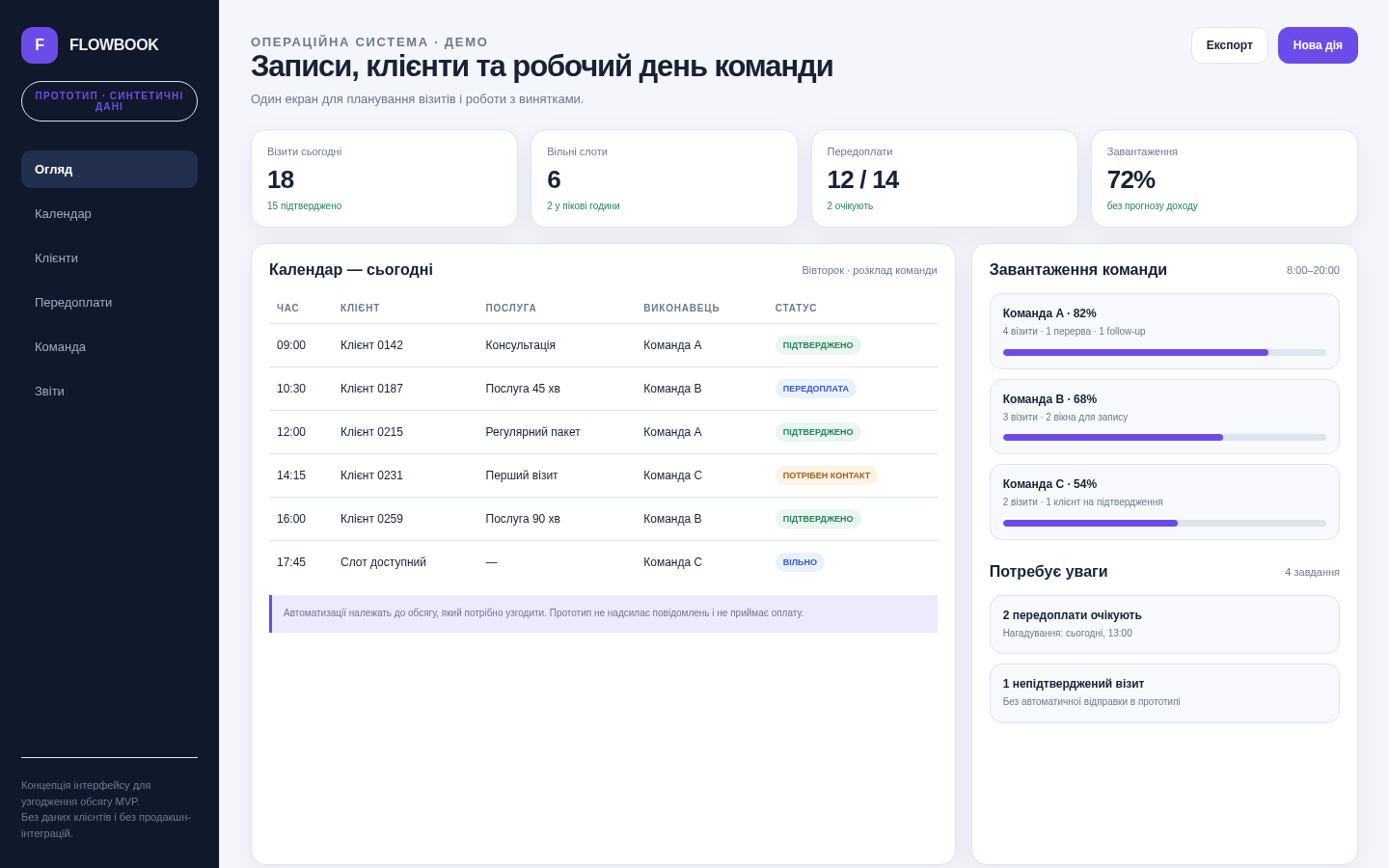
Bookings and CRM system prototype
Prototype

Bookings + CRM

A working interface for a team that manages customer appointments.

The screen brings together the calendar, customer records, deposits, available time slots and situations that need attention.

It allows the main day-to-day workflow to be tested before the full system is developed.

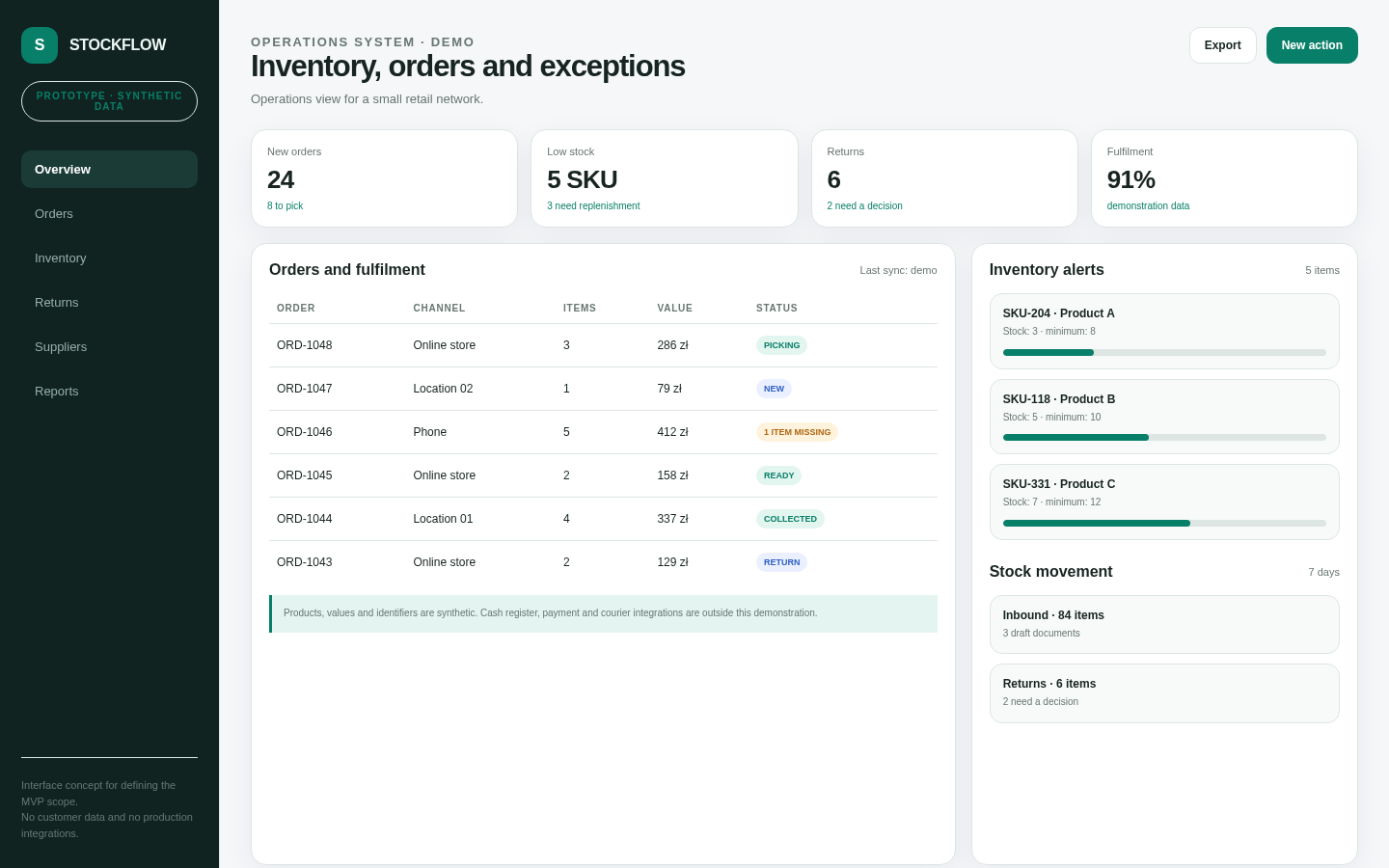
Orders and inventory system prototype
Prototype

Orders and inventory

An interface for everyday order and inventory operations.

Order fulfilment, returns, stock levels and items that require attention are brought together in one place.

The goal is to reduce the amount of switching between spreadsheets, separate services and manual lists.

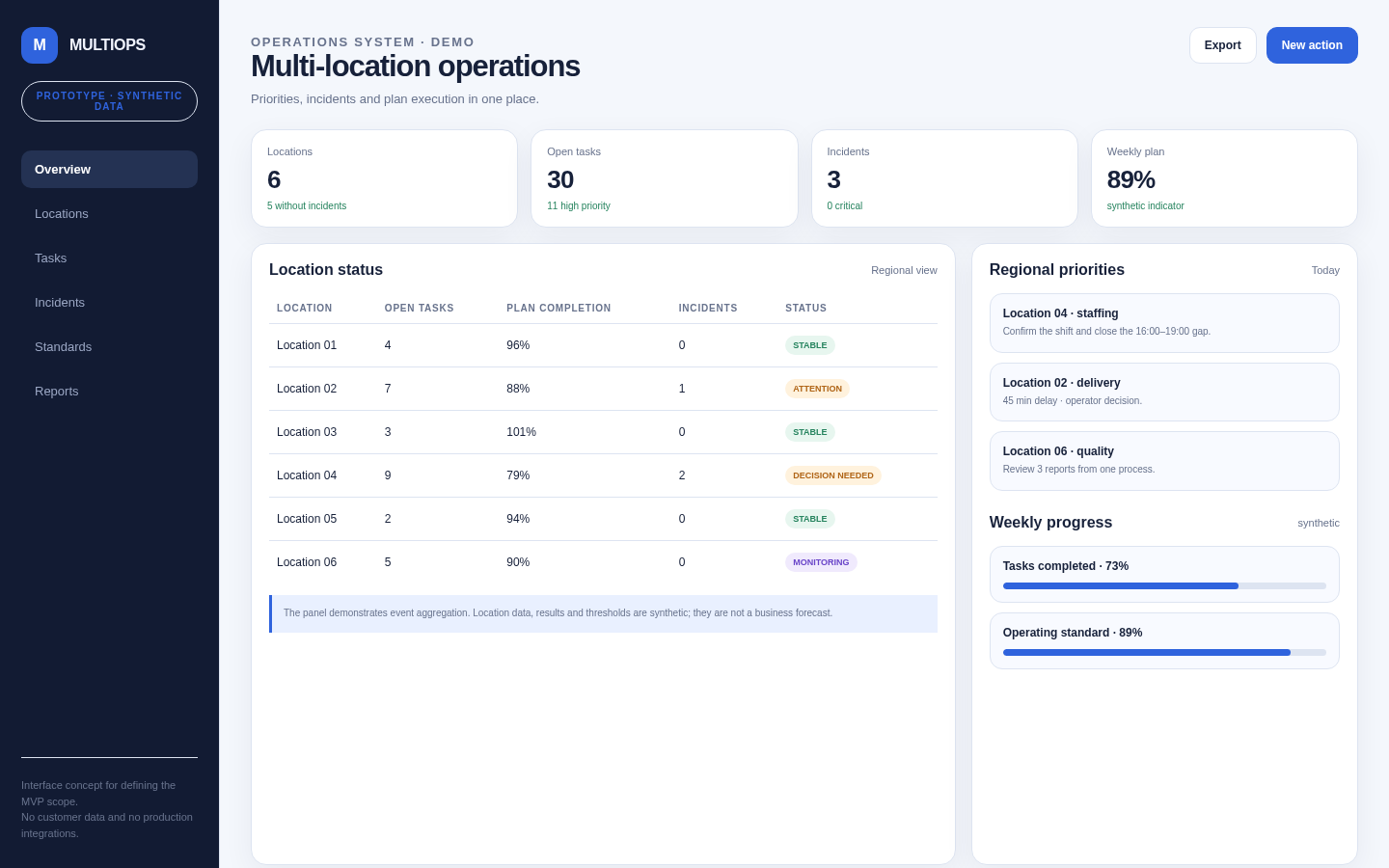
Multi-location management dashboard prototype
Prototype

Multi-location management

A dashboard for an owner or manager who needs a clear view across several locations.

One screen brings together the status of each location, current tasks, incidents, staffing issues and weekly-plan progress.

The prototype demonstrates the interface logic and the structure of a future system.

Have a process you would like to make simpler?

Show us how it works today and tell us where most of the time is lost or where things tend to become confusing.

We’ll look at what can be simplified, automated or organised more effectively.

Tell us about your project